Flair — product photography and campaign compositions
A scene-building canvas for arranging products, backgrounds, and props, creating campaign imagery, and editing product visuals.
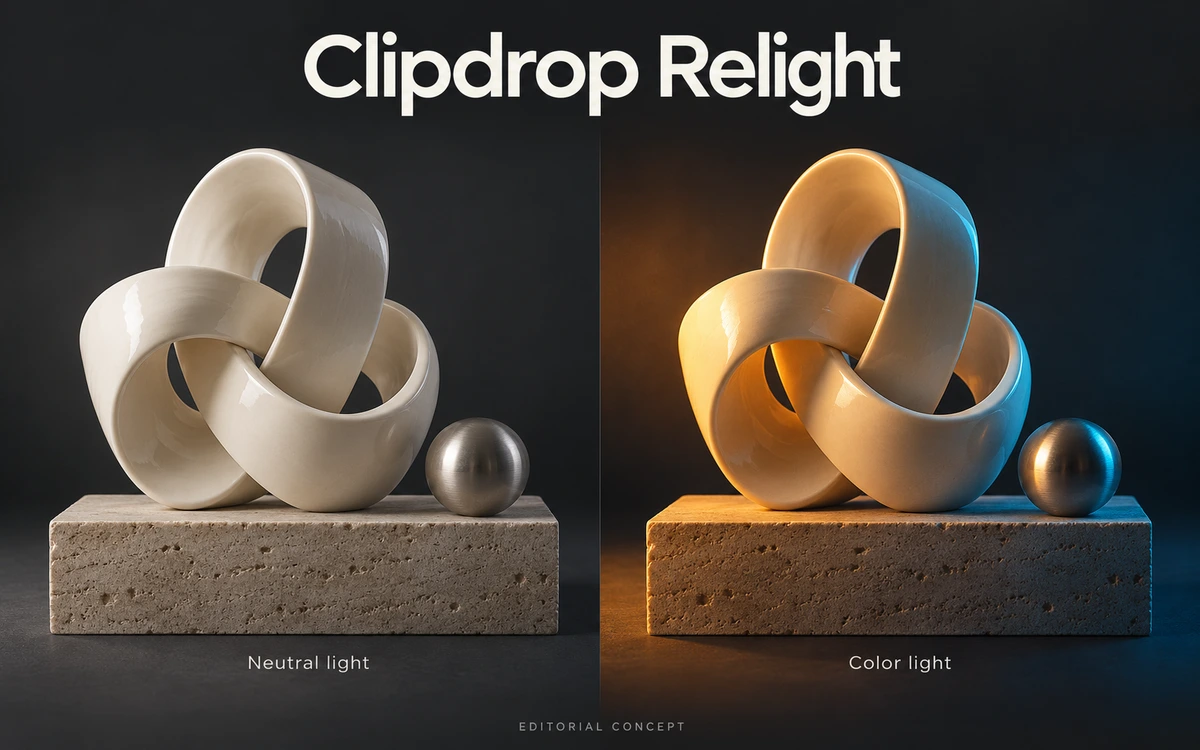
Clipdrop Relight changes the lighting of existing photographs and illustrations. Upload an image and place virtual light sources to explore a different mood or emphasize part of the composition. It is useful for quick experiments with portraits, product photographs, and drawn scenes before further editing. You can move the light sources while working with the image. This helps compare visual accents and direct attention toward important details. The approach is useful when you want to assess several lighting directions for one scene without arranging a separate shoot for each version. The site demonstrates relighting on photographs, artwork, and drawings. Relight can become one step in preparing visuals for a poster, social post, or concept presentation. Download the selected result and continue arranging it alongside other elements in your usual graphics editor. Because AI reinterprets the lighting, review shadows, skin, material textures, and product details. Be particularly careful with catalogue images where color and appearance must remain accurate. Background removal, cleanup, and upscaling are separate Clipdrop tools with their own limits and conditions. The current free tier includes 20 Relight uses per 24 hours; Pro adds high-resolution processing and a larger allowance. The FAQ permits commercial output use, while source rights remain your responsibility. Images are processed in the cloud, so review retention policies before uploading private photographs or confidential projects.
The official FAQ does not restrict commercial use of generated images, but you need rights to the source content. The linked privacy policy provides for retention during the account lifetime, or up to two years without an account. Separate permission to reuse the site logo and demonstrations has not been verified.
Check the creator’s current terms before using this resource.A scene-building canvas for arranging products, backgrounds, and props, creating campaign imagery, and editing product visuals.
An all-in-one platform for generating and editing images and video with access to Sora, Veo, Kling, Flux, Seedream and other AI models.
A curated library of free AI-generated photos, illustrations and 3D visuals with search, filters and built-in editing tools.